Turn Any Business Card Into a CRM Lead in Seconds
Scan a card with your camera, a QR code, or an NFC tap. FlexScan reads the details, lets you check them, and syncs the lead straight to your CRM, so nobody on your team types a contact in by hand again.
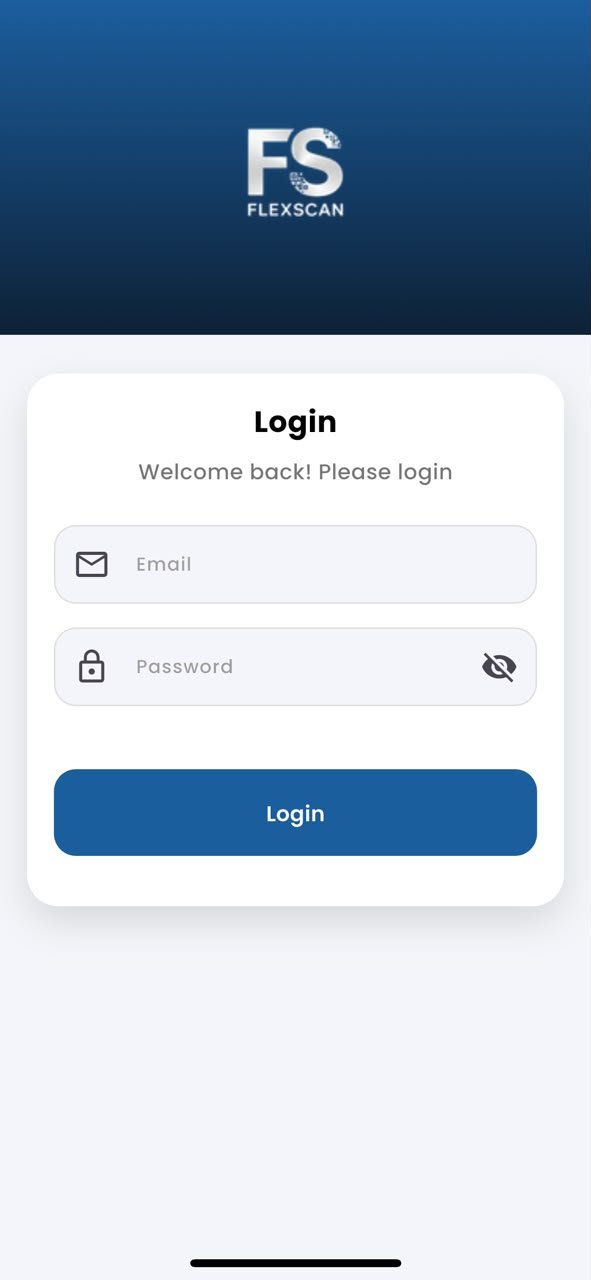
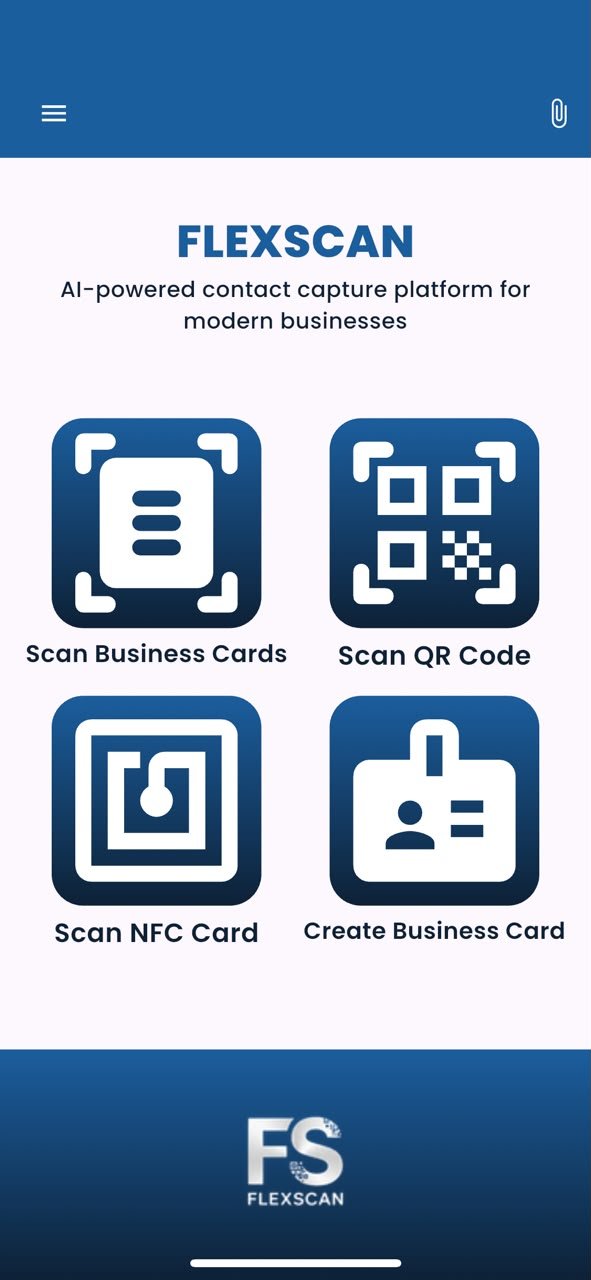
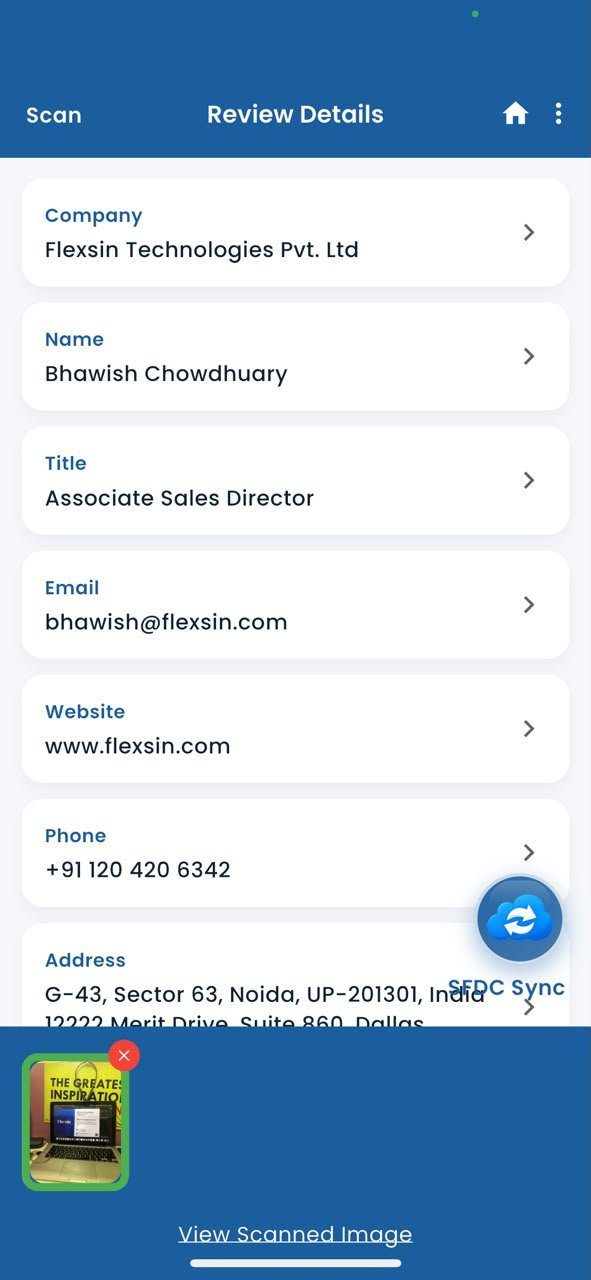
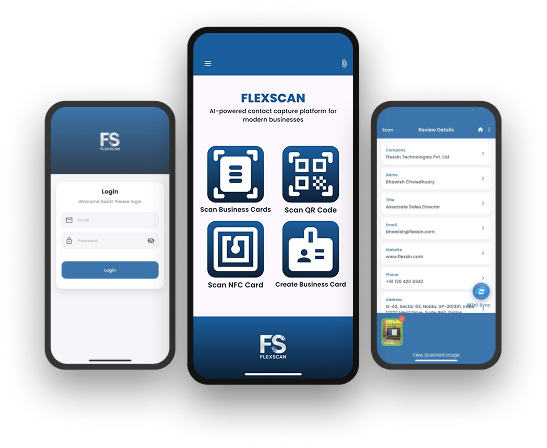
See FlexScan in action
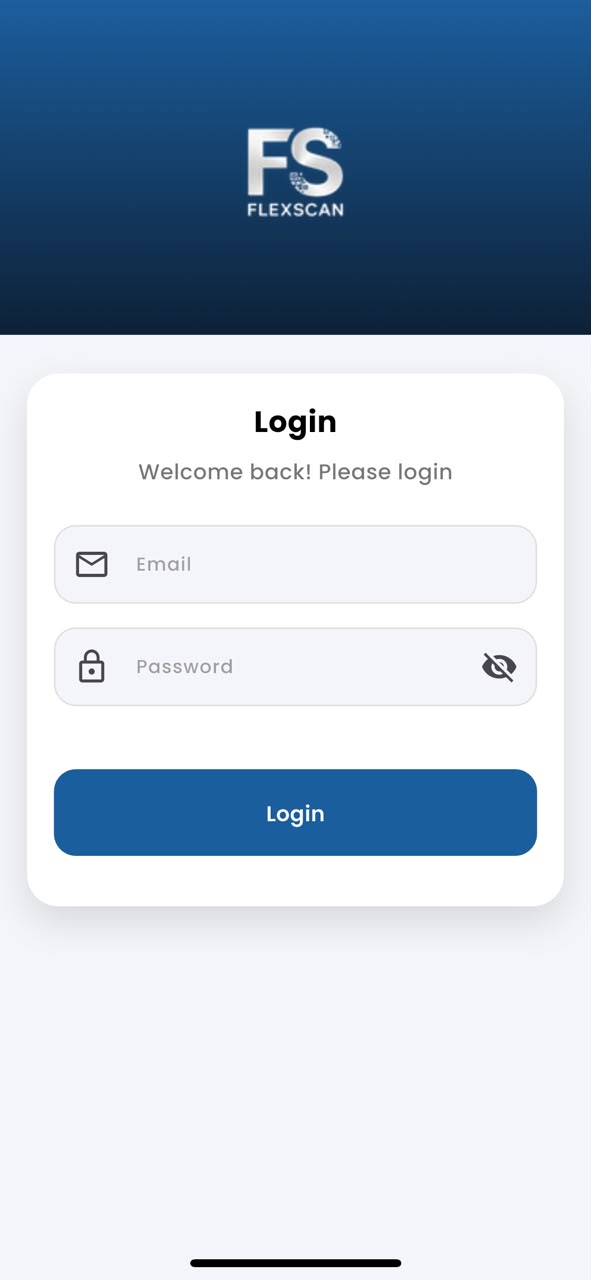
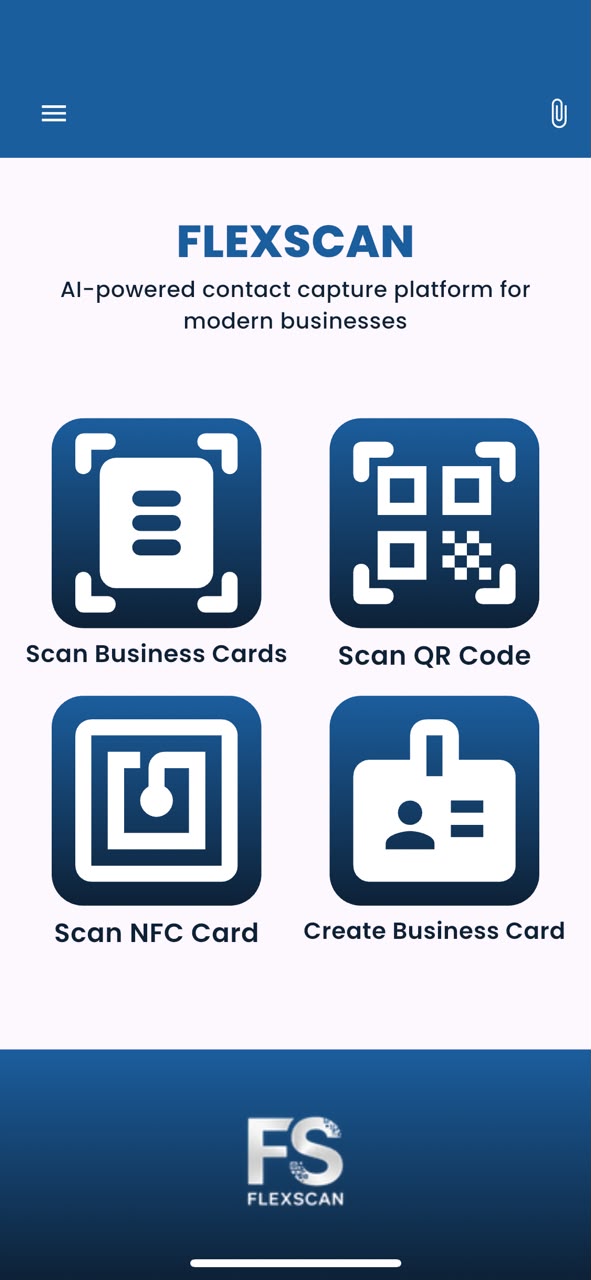
Every screen - from first launch to CRM sync.
Three Ways To Capture A Contact
Camera, QR code, or a tap. Whatever's fastest in the room,
FlexScan reads it the same way.
-

AI-powered scanning
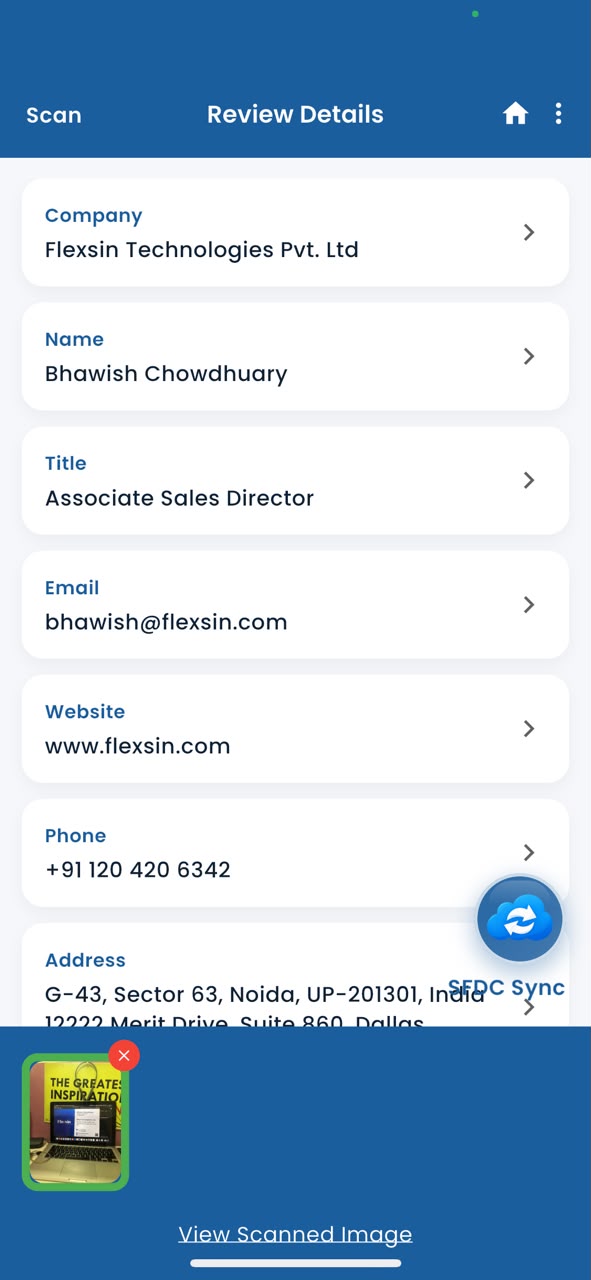
Point your phone camera at a card and FlexScan pulls the name, designation, company, email, phone, website, address, city, state, zip, and country automatically.
- Custom fields for anything else your team tracks
- Scanned image shown next to the extracted data
- Edit any field before saving or syncing
-

QR code scanning
Scan a VCard QR code and get structured contact data instantly, no camera guesswork over blurry print.
- Works with any VCard-format QR code
- Clear prompt if a scanned QR isn't a VCard
-

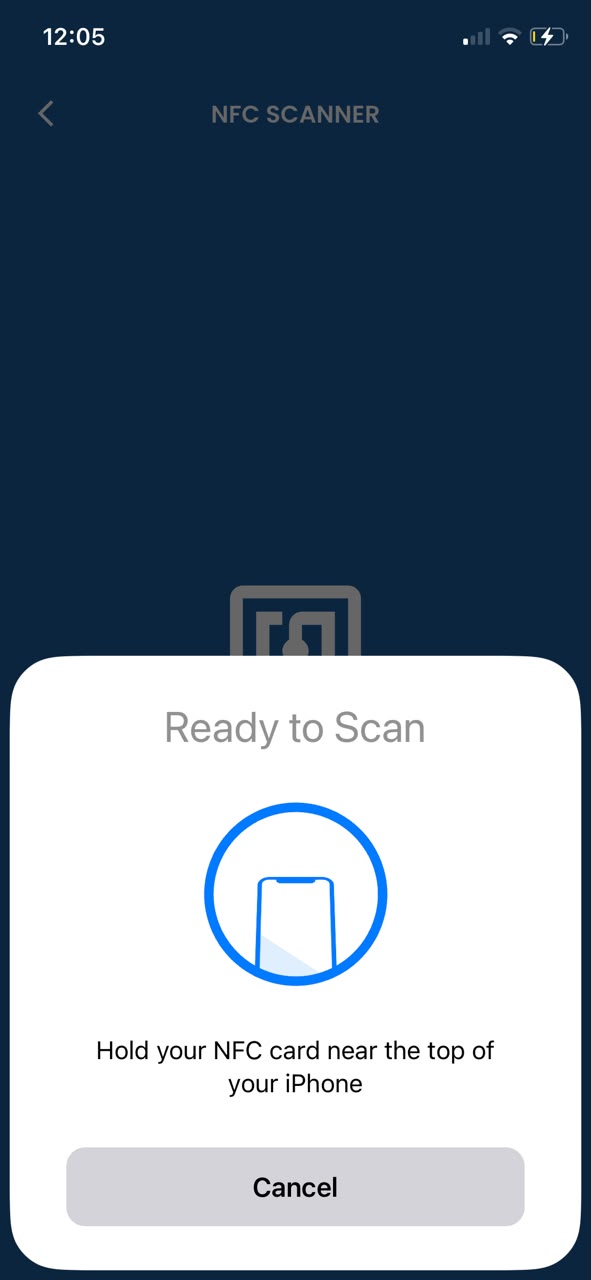
NFC card scanning
Tap any NFC-enabled business card or tag and the contact data reads instantly, no photo needed at all.
- Same sync, save, and share as camera or QR scans
- One tap, done
Point. Snap.
Every field extracted.
FlexScan's AI reads any physical business card and structures every contact field automatically - no manual typing, ever.
- Name, title, company, email, phone and website
- Full address - city, state, zip and country
- Custom fields defined by your Company Admin
- Edit any field on the Review screen before syncing
One scan.
Four ways to use it.
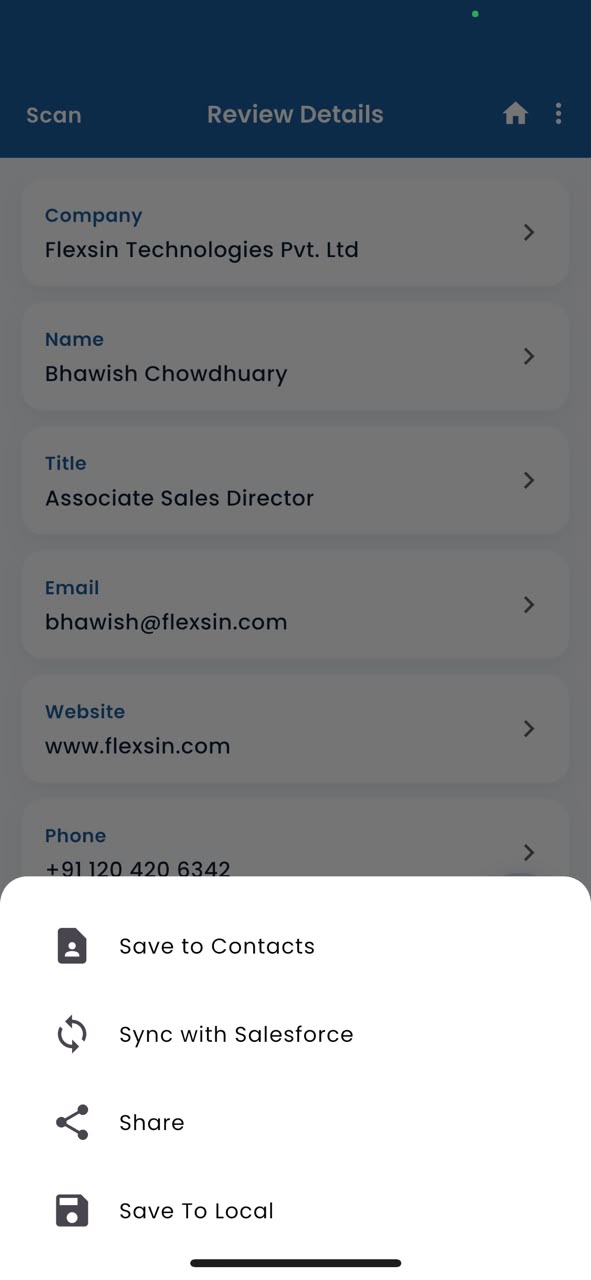
After reviewing the extracted contact, choose exactly what to do - all from a single action sheet.
- Sync to Salesforce, Zoho CRM or Odoo as a contact with one tap
- Save to your iPhone's native Contacts
- Share via Email, SMS, WhatsApp or any installed app
- Save locally for offline access and sync later
Three more ways
to capture contacts.
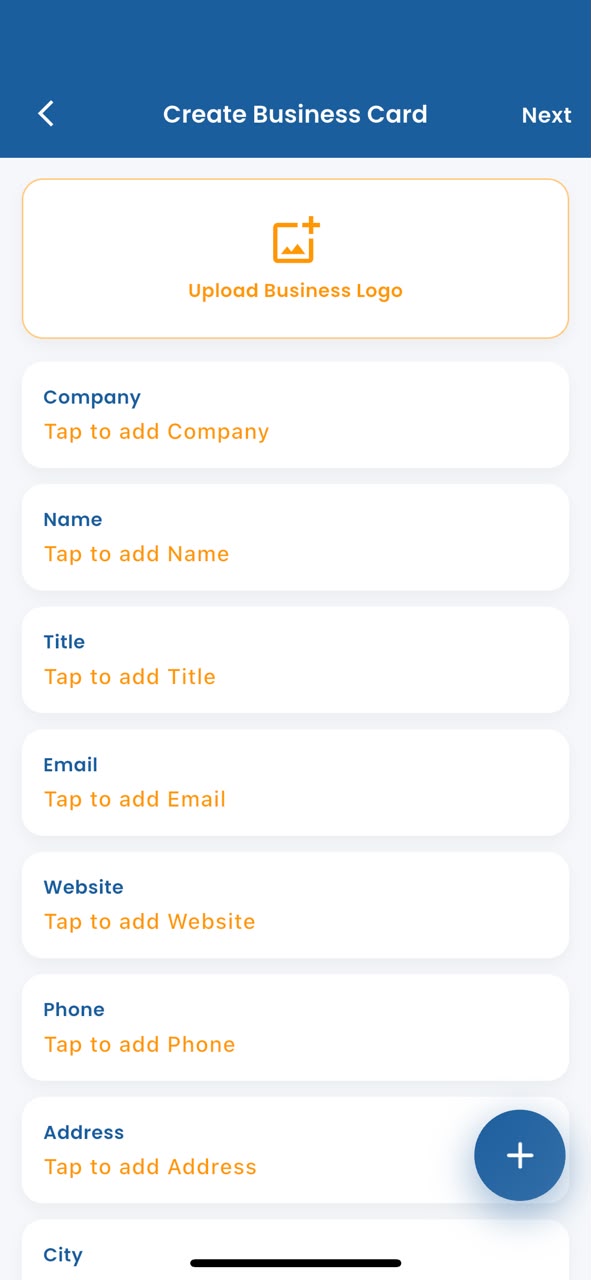
FlexScan goes beyond the camera - scan VCard QR codes, tap NFC cards, or build your own digital card.
- Scan VCard QR codes - smart prompt for non-VCard types
- Tap NFC-enabled cards - instant contact read
- Create a digital business card with your logo and template
- Upload logo from gallery or photograph it live
security & compliance ˙ CRM integrations
-
 SOC 2 Type ll Certified
-
GDPR Compliant
-
ISO 27001 Aligned
-
AES-256 Encryption at rest
-
TLS 1.3 Encryption at transit
Your CRM gets the lead.
Your team gets the credit.
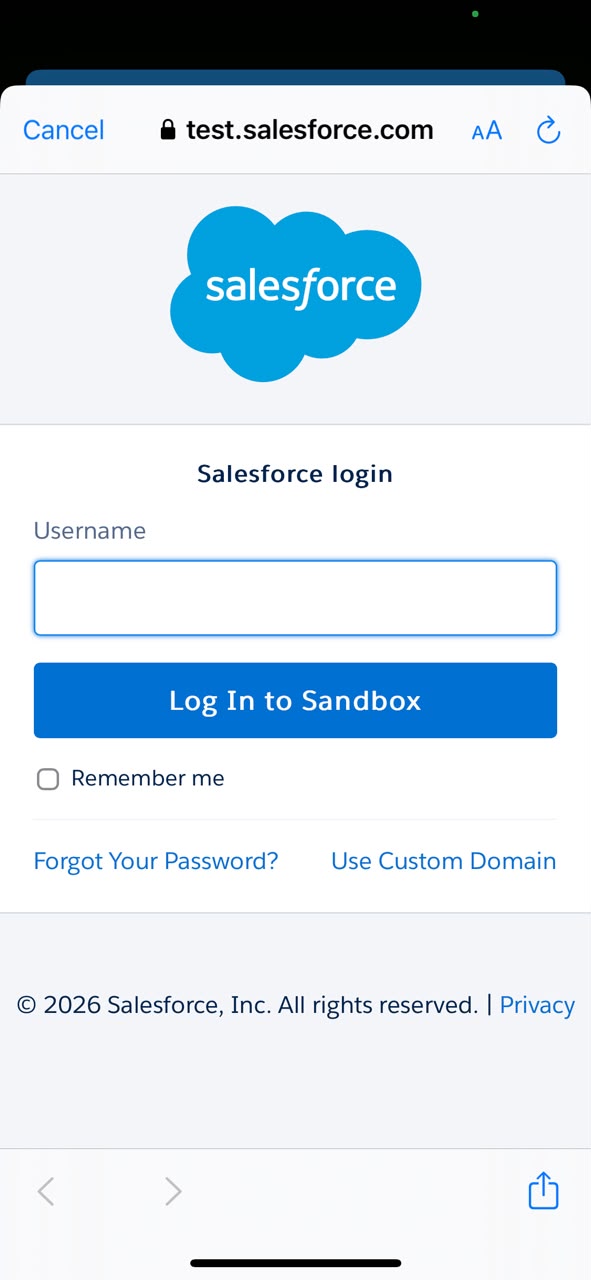
FlexScan connects to any CRM - Salesforce, Zoho CRM or Odoo - through a secure OAuth 2.0 flow. Every scanned contact is pushed as a properly formatted lead or contact, with your custom fields already mapped and default values pre-filled.
Admin connects the CRM
Company Admin connects Salesforce, Zoho CRM or Odoo from the web Admin Panel once - credentials stored securely server-side, never on device.
User authenticates with their CRM account
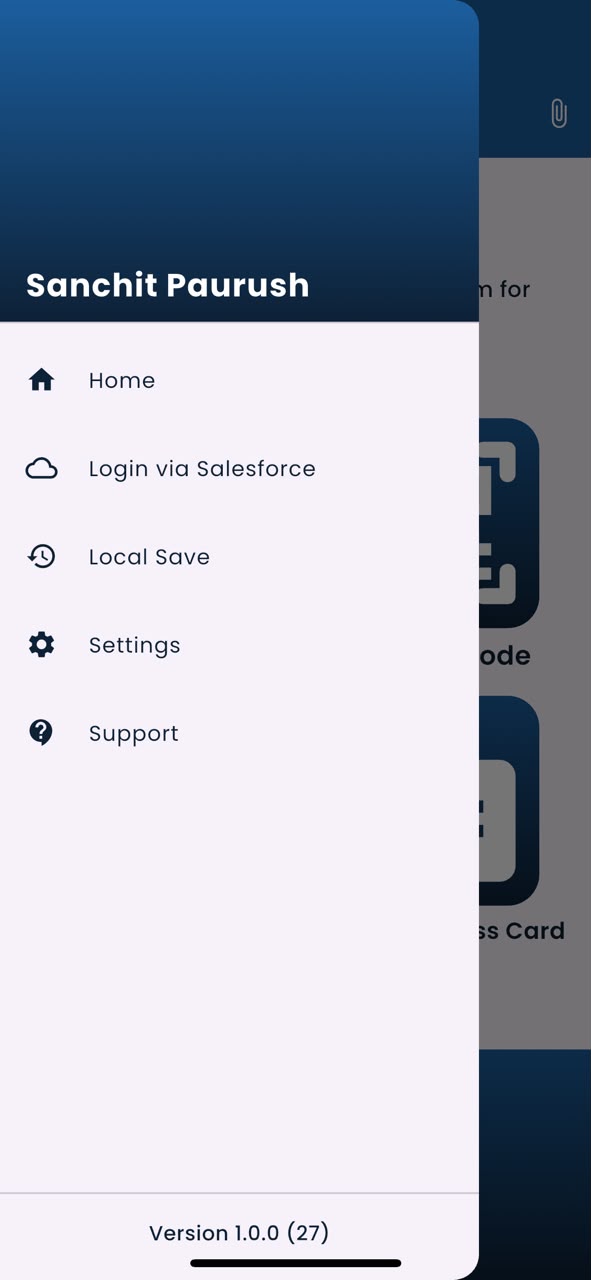
Each team member signs into their CRM (Salesforce, Zoho or Odoo) from the app side menu via OAuth. No passwords stored on device.
Scan and sync - one tap
After scanning, tap "Sync to CRM." The contact arrives as a lead or contact in your chosen CRM with all standard and custom fields populated.




Manual Entry Is More Expensive Than You Think
The real cost isn't the data entry - it's the lag, the errors, and the leads that never make it into your pipeline at all.
| Metric | Manual Entry | FlexScan |
|---|---|---|
| Time per contact | ~4 minutes | < 8 seconds |
| Data error rate | 12-18% | < 1% |
| CRM entry lag | Hours to days | Instant |
| Cost per lead captured | $6-$12 | < $0.02 |
| Works offline | No | Yes |
| Multi-CRM support | Manual per CRM | Salesforce, Dynamics, Zoho, Odoo, GHL |
Built for Every Seat on the Revenue Team
From field sales to sales operations and IT administration, FlexScan gives every revenue stakeholder a simpler way to capture, manage, and move contact data into the right CRM.
-
 SALES REP
Close What You Start at the Event.
You're at Dreamforce or SaaStr. You collect 120 cards in two days. With FlexScan, every one of those leads is in your CRM before you land. No stack on your desk Monday morning. No missed follow-ups because you couldn't read your own handwriting on a sticky note.
-
 SALES OPS
Full visibility without chasing reps.
See exactly who's scanning, what's syncing, and where records are missing or duplicated. The admin panel gives you activity by rep, CRM connection status, and field mapping controls - without touching IT or exporting spreadsheets to figure out where leads are disappearing.
-
 IT ADMIN
Deploy once. Manage centrally.
Pre-configure CRM connections, enforce SSO login, set field mapping rules, and control which CRM instances are accessible to which user groups. SOC 2 Type II, GDPR, and ISO 27001 compliance documentation is available on request for your security review.
What Revenue Teams Are Saying
-

Before FlexScan, we were losing 30% of trade show leads to bad or missing data. That number is now effectively zero. The Dynamics 365 integration was configured in a morning.
MMarcus T. VP of Sales, Enterprise Technology Company -
Our reps used to return from conferences with piles of cards that sat unprocessed for two weeks. Now the data is in Zoho CRM before they board the flight home. Sales ops has never been happier.
SSarah K. Sales Operations Manager, Mid-Market SaaS Company -
Custom field mapping to our Salesforce schema and SOC 2 compliance made the security review a non-event. IT signed off in a week. That never happens.
DDaniel R. IT Director, Professional Services Firm
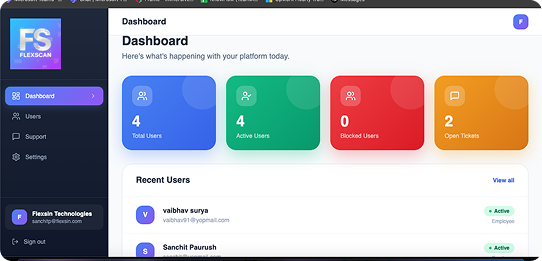
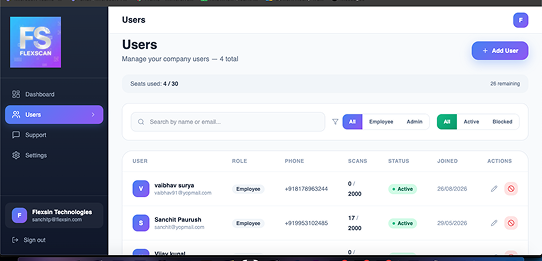
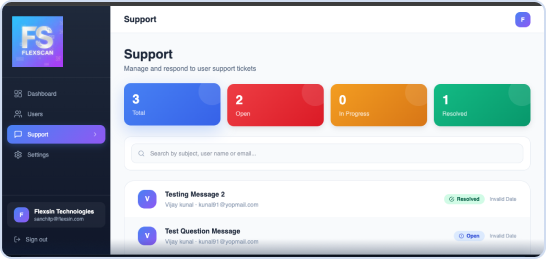
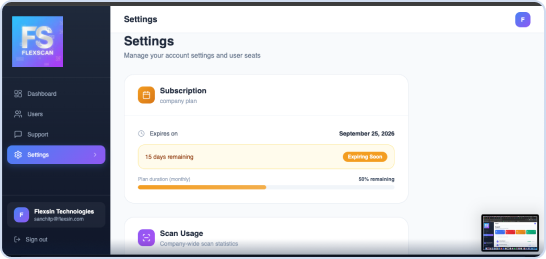
Web Admin Panel - Full Team Control
Manage users, configure any CRM connection, define custom fields and monitor usage - all from any browser.
One Simple Plan.
No Surprises.
The plan includes CRM integrations - full iOS and Android apps, and offline scanning. No feature gating between tiers - just scale.
Up to 10 users · Billed monthly
- Up to 10 users
- 2000 Monthly Scans Per User
- All CRM integrations
- Web-based admin panel
- Custom field mapping
- Role-based permissions & SSO
- Priority support
- Compliance documentation on request
Questions, answered
-
How long does CRM integration setup take?Under two minutes for most setups. FlexScan uses standard OAuth for all supported CRMs - Salesforce, Dynamics 365, Zoho, and Odoo. For enterprise deployments with SSO enforcement and custom field mapping, IT typically completes the configuration in under an hour.
-
Can I scan QR codes and NFC tags, not just business cards?Yes. FlexScan supports business cards, QR codes (including event badge QR codes), and NFC-enabled smart cards. The app also includes a digital card builder so you can create and share your own contact card. Most enterprise teams use at least two of these formats regularly.
-
What data fields does FlexScan extract from a card?Name, title, company, email address, direct line, mobile number, website, LinkedIn URL, physical address, and any custom fields defined in your CRM layout. Handwritten annotations on printed cards are also captured when legible.
-
Is contact data encrypted in transit and at rest?Yes. Data is encrypted in transit using TLS 1.3 and at rest using AES-256. FlexScan is SOC 2 Type II certified, GDPR compliant, and ISO 27001 aligned. Compliance documentation is available for enterprise customers under NDA.
-
Can I map custom fields to our CRM layout?Yes. Admins configure field mapping from the web admin panel - including custom fields, picklist values, and lead source tags. Mapping applies to all users in the account and persists across app updates. Reps never touch configuration.
-
Can our IT team control which CRM instance users connect to?Yes. Admins can lock the app to a specific CRM tenant or instance, preventing reps from connecting to personal or sandbox environments. SSO enforcement and role-based permissions are fully configurable from the web admin panel.
-
Does FlexScan work on both iOS and Android?Yes. Both apps are feature-equivalent and receive simultaneous updates. Minimum requirements are iOS 15 or Android 10. Neither version requires a mobile device management profile to install.
-
How accurate is the OCR? What if a card has an unusual font or low contrast?FlexScan achieves over 99% field accuracy on standard business cards. For cards with unusual fonts, low-contrast printing, or non-English characters, the app flags uncertain fields for a one-tap review before syncing. You confirm or correct, it pushes.
Your Next Lead Is Already in Someone's Pocket
Stop leaving contacts in card stacks and email attachments. FlexScan puts every lead directly into your CRM from the moment the card changes hands.